
 VYNORO
An AI team for small agencies that plans the work, shows its sources, and asks before anything goes out.
Overview.
Agencies of one to ten people
Web, marketing and design studios where the owner sells, delivers and does the admin. The screens on this page come from a workspace for my own agency, Barmjli, running real missions on public data.
Too many jobs, no one to hand them to
Finding prospects, auditing their sites, writing first messages and preparing client reports all take hours. Generic AI chat helps with each piece but nobody checks the result, and an invented email or number reaches a client.
A team that works and shows its evidence
Vyn plans each request and hands steps to specialists with real tools. Code and Vyn check every output, the report cites its sources, and drafts wait for the owner. The team learns from every correction.
Walkthrough.
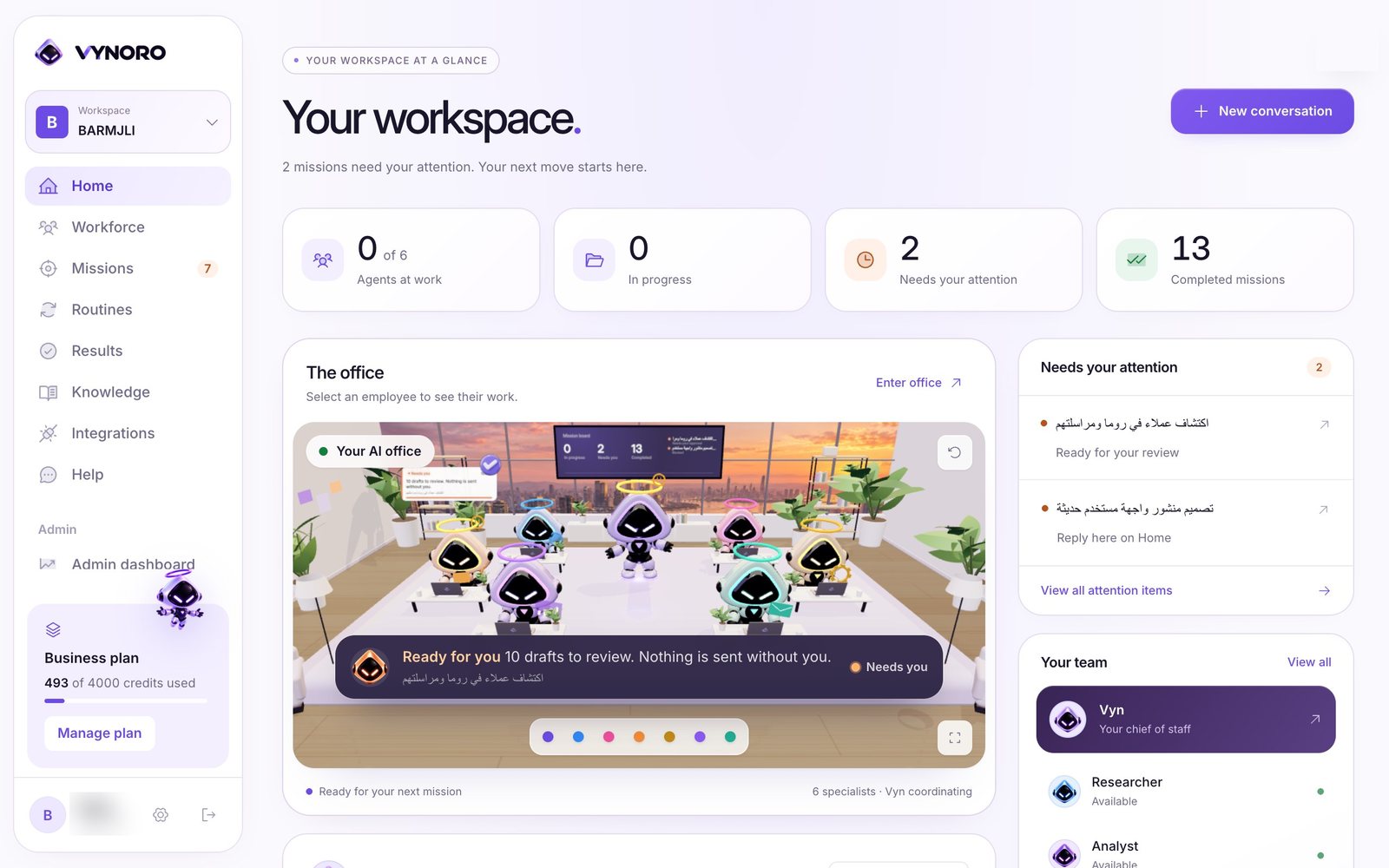
One screen that says what needs the owner
The owner of a small agency opens VYNORO and sees which agents are working, what is in progress, what needs a decision and what is done. A workspace holds one business, so an agency can run its own brand and its clients side by side.
- 1Attention firstMissions waiting for a review or an answer sit at the top and in the sidebar badge, with a link straight to the decision.
- 2A company profile the team readsWhat the business sells, its prices, tone and region live in the workspace profile and go into every prompt, so the work sounds like the business.
- 3Plans and creditsEach workspace shows its plan and credits used. Limits are checked on the server before a mission starts, not only in the UI.
A 3D office where you can watch the team work
Each specialist has a desk in a sunlit office built with React Three Fiber. Agents light up while they work, and the mission board on the wall shows what is in progress, what needs the owner and what is done.
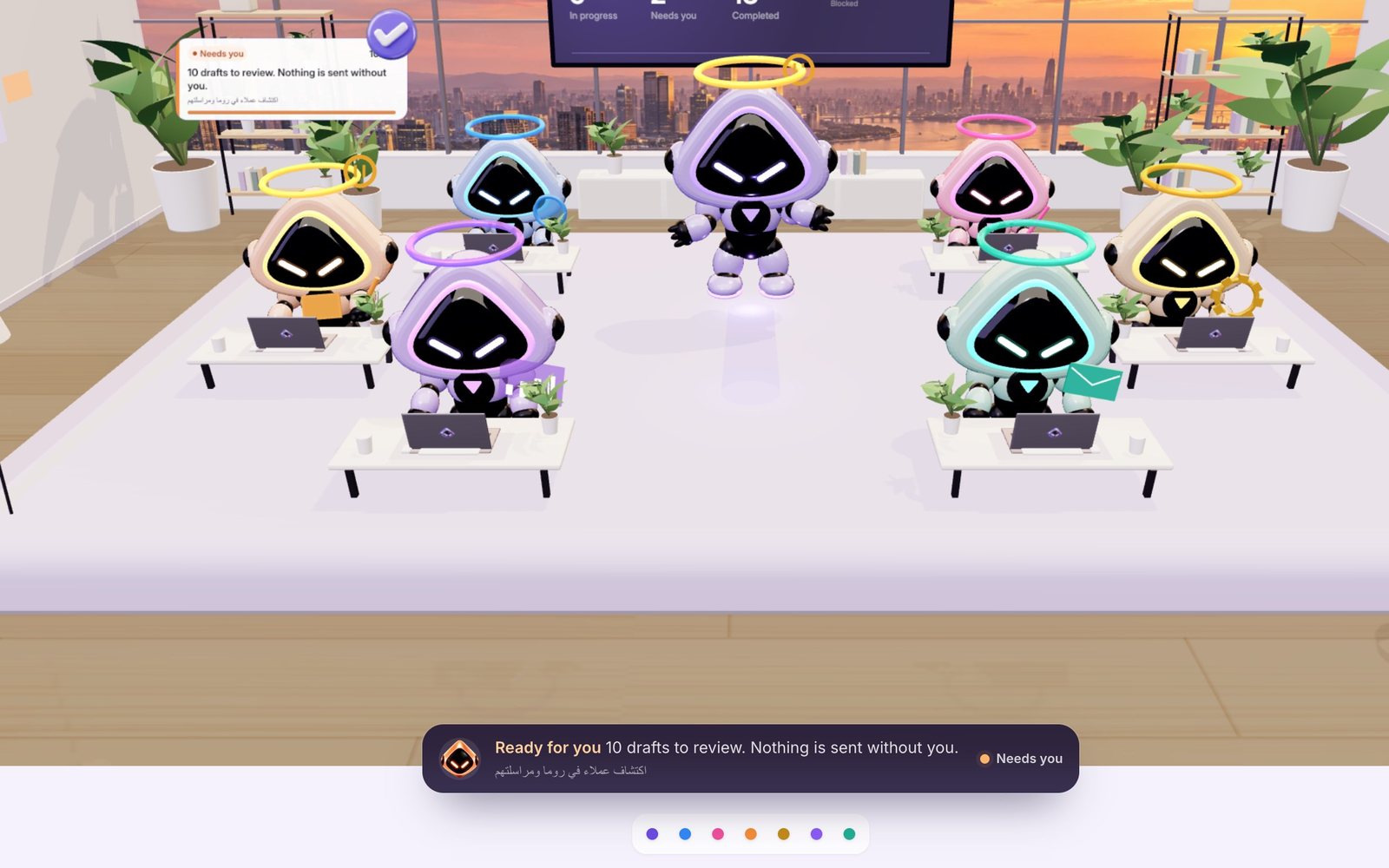

- 1Real data, no demo scriptThe office only shows what the mission backend publishes. With no missions running, the team is idle.
- 2Live statusMission steps and events stream in through Supabase Realtime, so an agent starts moving the moment its step begins.
- 3Camera moves with careCamera paths and agent animations have their own tests, so a change to the office doesn't break the view.
Describe the job once, and Vyn turns it into a plan
The owner writes what they need in plain words. Vyn, the chief of staff, decides whether it can answer on the spot, needs one clarifying question, or needs a plan. A plan names the specialist for each step and what that step must hand over.
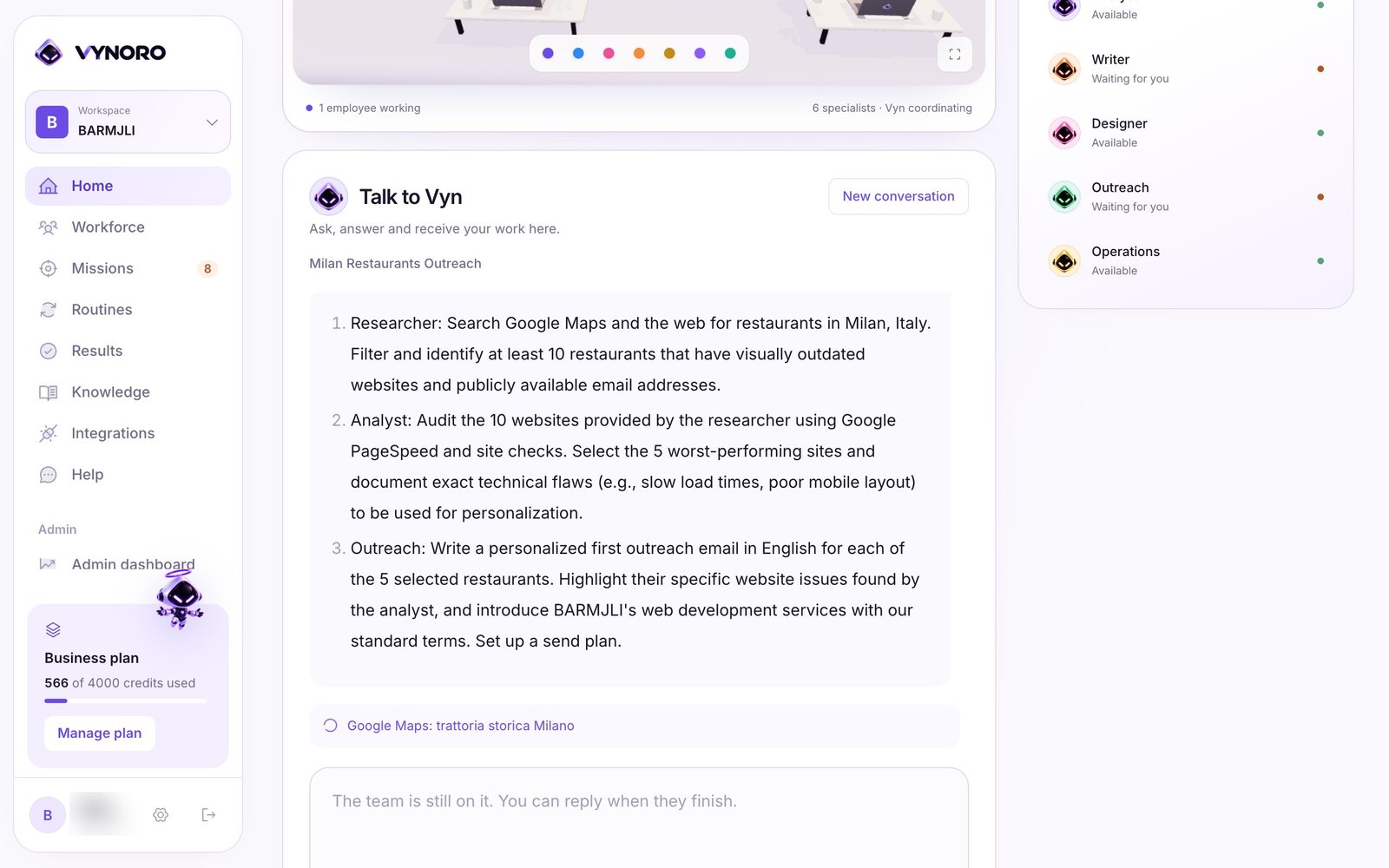
- 1Quick answers stay quickA question, a fact or one short text is answered directly in a few seconds, without starting a mission.
- 2One question, not tenWhen something essential is missing, Vyn asks the owner one question, then plans.
- 3Steps run in parallelSteps whose inputs are ready run together, up to three at a time, and each one hands its output to the next.
A report where every claim points to its source
When a mission ends, Vyn writes a briefing and the Presenter lays out the result: what was found, the evidence, the strategy and the next action. Every mark in the report links to the page, search or calculation it came from.
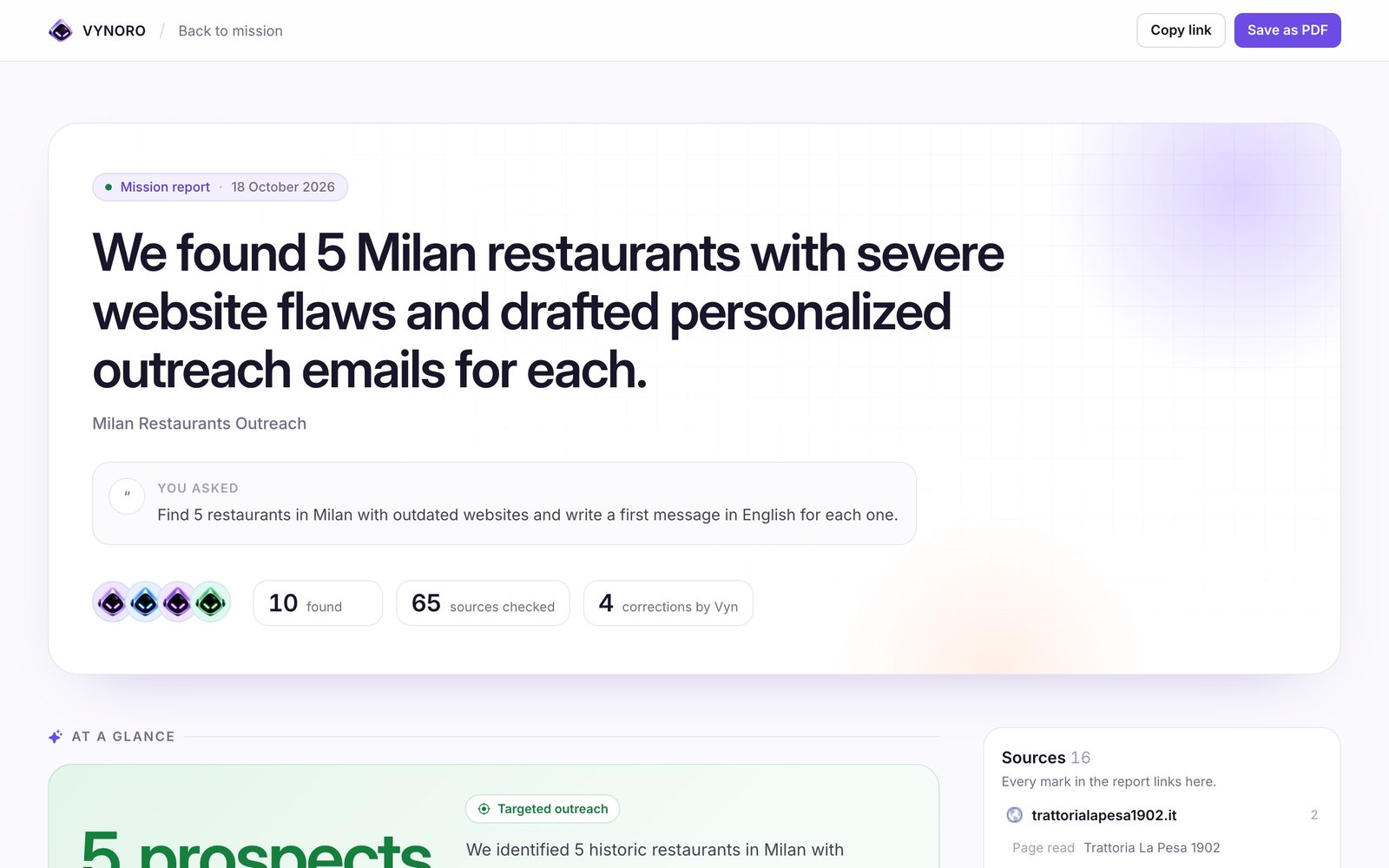
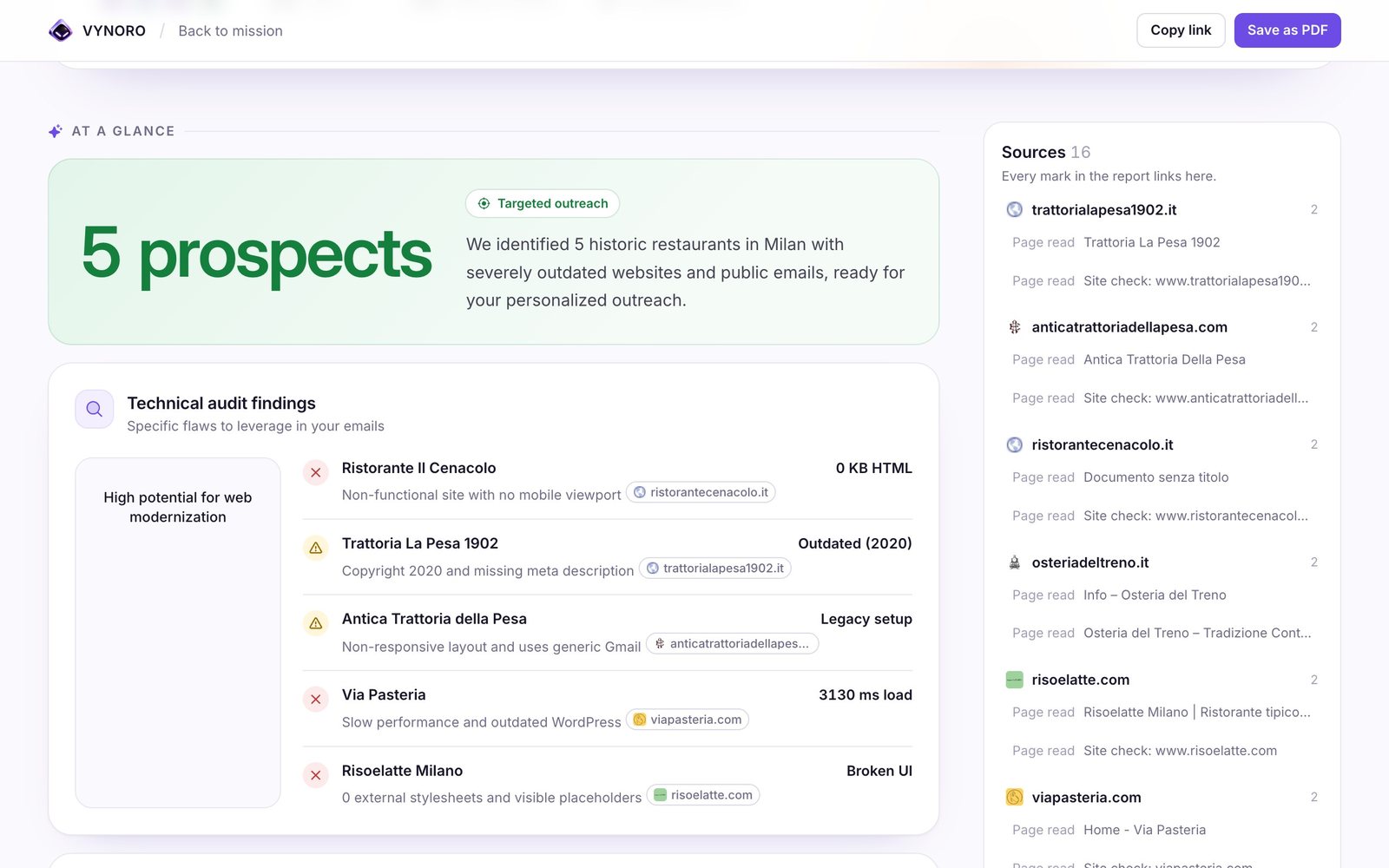
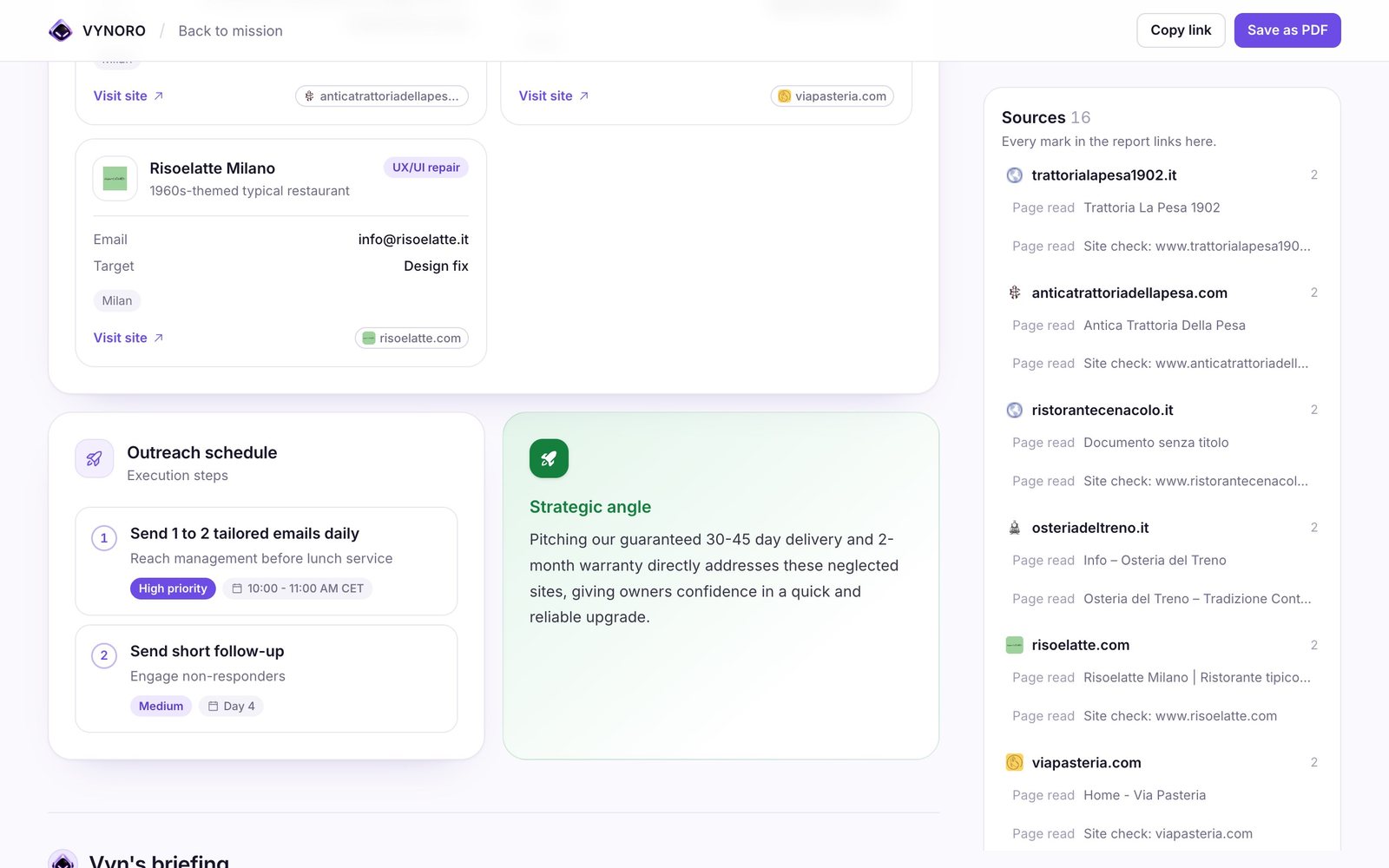
- 1Sources listedEvery page read, Maps search and site check is listed beside the report, grouped by website.
- 2Numbers must exist in the evidenceA report or chart block whose number doesn't appear in the source material is dropped before it is shown.
- 3Export to OfficeResults export to PowerPoint, Excel and Word, or a PDF, so they go straight to a client.
Nothing is sent until the owner finishes the review
Drafts from the Outreach specialist land in a review queue. The owner reads each one, edits it, approves it or sends it back with a note, and nothing leaves the workspace before the review is finished.
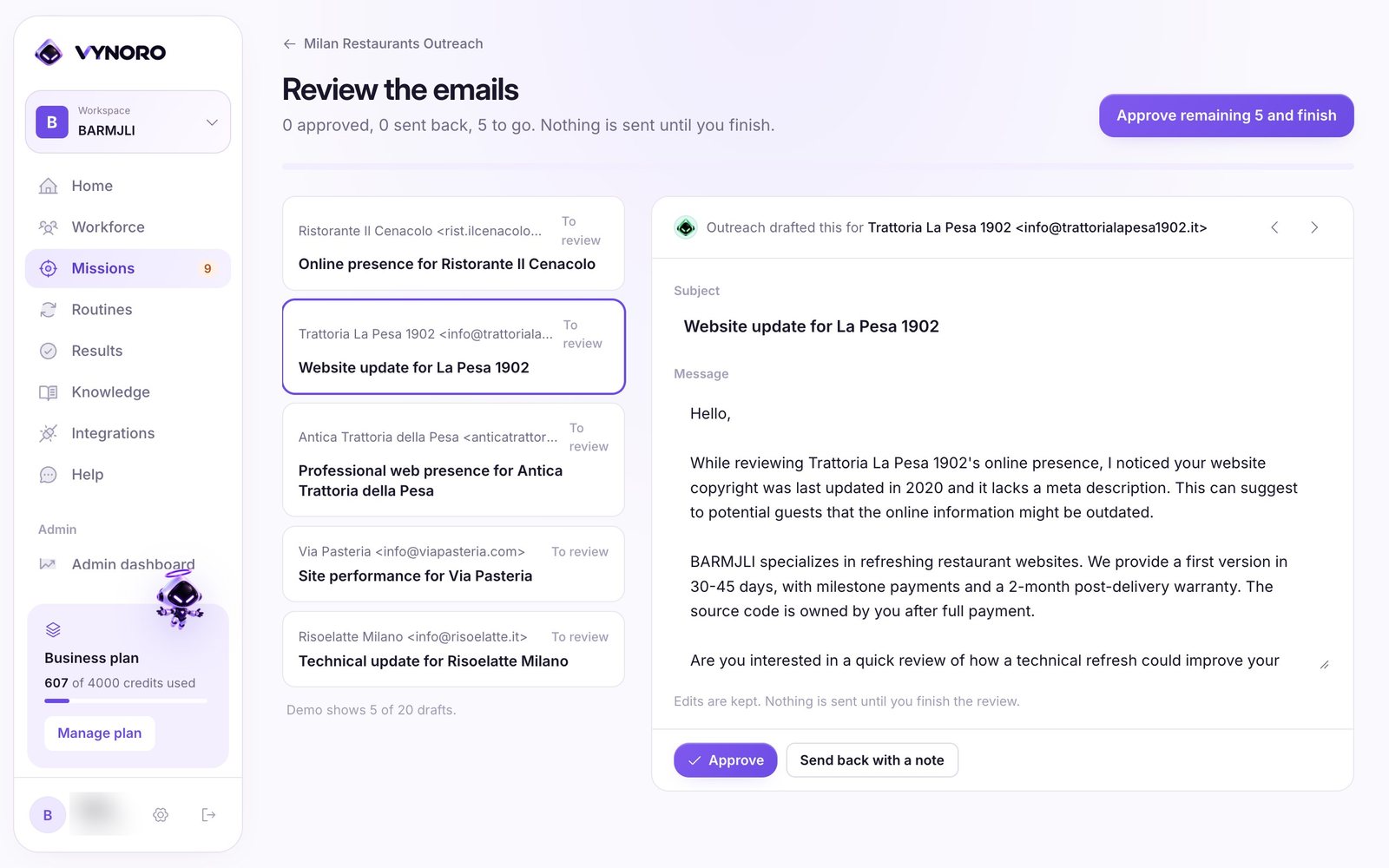
- 1Edits are keptChanges to a draft are saved, and approving the rest takes one click once the owner is satisfied.
- 2Lessons from correctionsA rejection with a note or an edit becomes a short lesson, such as how to sign emails, that goes into later missions.
- 3Contacts must be realAn email address counts only if it appeared on a page the team actually opened. Invented contacts are caught by code.
The same team in Arabic, right to left
Ask in Arabic and the plan, the work and the report come back in Arabic, laid out right to left. Here the team looked for restaurants in Algiers and reported what each one's website was missing.
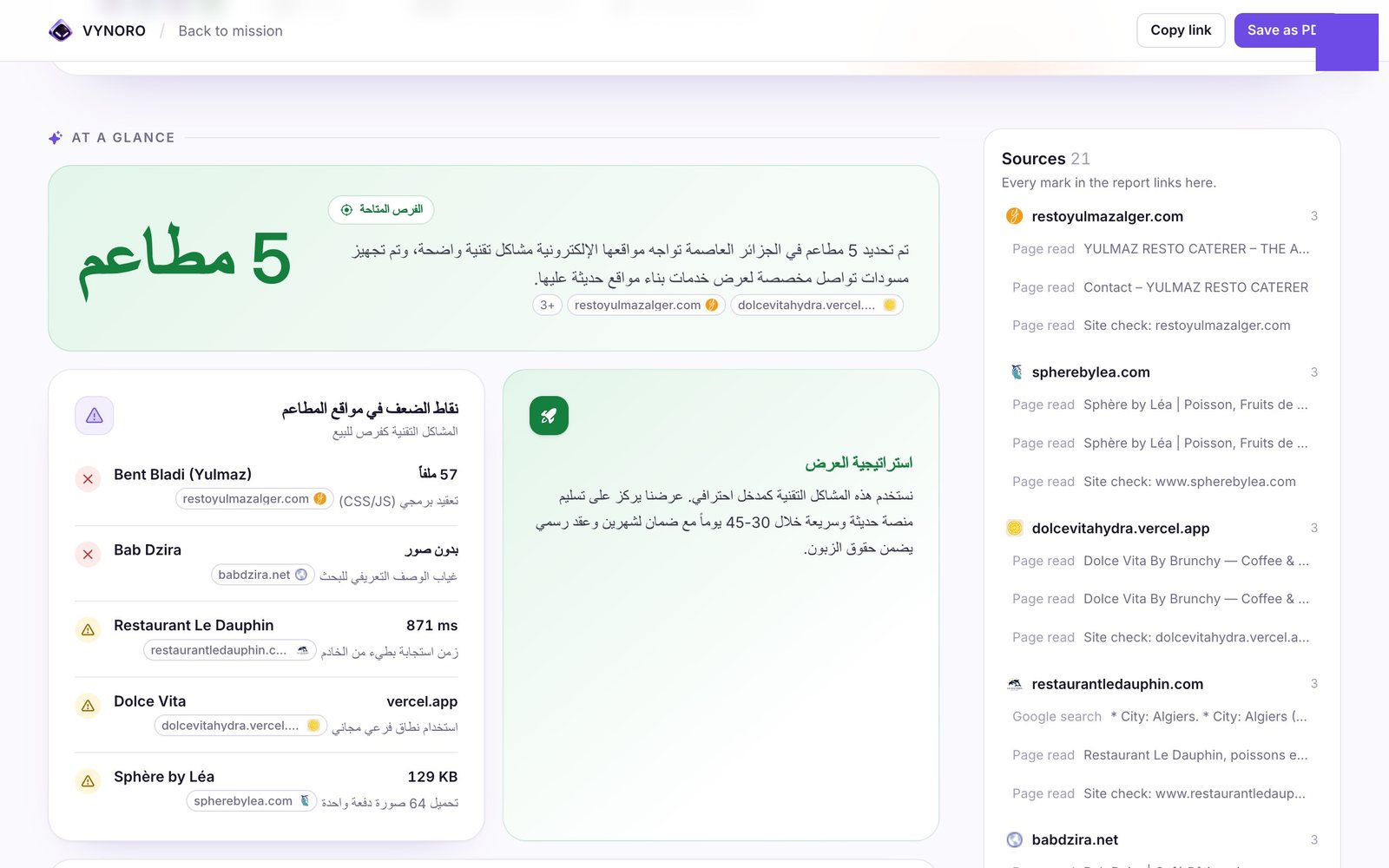
- 1Written in ArabicAgents write in the language of the request, and the report layout mirrors for right-to-left.
- 2Mixed sourcesSources in French, Arabic and English sit in the same evidence list.
- 3Same checksThe code checks and Vyn's review run the same way in every language.
The team.
- Sorts each request
- Plans the steps
- Reviews every output
- Writes the briefing
- Web search
- Google Maps places
- Reads pages and PDFs
- PageSpeed and site checks
- Exact calculations in code
- Compares options
- Posts, pages and replies
- Follows the brand tone
- Learns from edits
- Images
- Presentation layouts
- Brand kit colours and fonts
- Personal first messages
- Follow-ups
- Never sends on its own
- Any task no other role fits
- Lists, files and data
Architecture.
Engineering deep dives.
1. Code checks before AI review
- Problem
- An AI reviewer tends to wave through the most damaging mistakes: an email address that looks right, or a load time nobody measured.
- Approach
- Before Vyn reviews anything, deterministic checks run on the structured output. Every cited evidence id must exist. Every email must appear on a page the team opened, not just in a search snippet. Every measurement-like number must appear in the evidence or in the owner's own profile. Errors go back to the specialist for one short rewrite, without an AI call to find them.
- Trade-off
- Regex checks can flag a legitimate number written differently from the source. The owner's own facts count as known to keep that rare.
2. Missions that outlive the browser tab
- Problem
- A prospecting mission can take minutes. An owner who closes the laptop shouldn't lose the work, and a deploy in the middle shouldn't either.
- Approach
- Missions run on the server, signed in as the owner with their own server session, so row-level security still applies. A run holds a 4-minute lease that every AI call renews. A watchdog checks every minute and continues a dead run from the last finished step. After three automatic resumes, or a run dead for 30 minutes, the mission fails with a Retry button.
- Trade-off
- On serverless hosts the watchdog needs a cron call every minute, and long runs yield between steps after 9 minutes.
3. Nothing leaves without the owner
- Problem
- An AI that emails a restaurant on its own, with a wrong detail, damages the agency's name. Small agencies live on their reputation.
- Approach
- Outreach only drafts. Drafts become approval items on the mission, the owner reviews them one by one, and nothing is sent until the review is finished. Edits and rejections with a note are turned into lessons stored per workspace and added to later prompts.
- Trade-off
- The owner must spend a few minutes reviewing. That is the product's position, not a limitation to remove.
4. Owner-only data, enforced in Postgres
- Problem
- Workspaces hold client lists, prices and drafts. A query that forgets a filter must not leak another owner's data.
- Approach
- All 25 migrations keep row-level security on, with owner-only policies on every table. The AI runtime works as the signed-in owner, not with the service role, so an agent can't read what the owner can't. Files sit in a private Storage bucket under the owner's id and are served with ten-minute signed URLs.
- Trade-off
- Background runs need a real owner session created on the server, which is more moving parts than a service key.
5. Every AI call has a price tag
- Problem
- Agents that loop with tools can burn money quietly. A small agency needs a cost it can predict.
- Approach
- Every Gemini call is logged with model, tokens, estimated cost and latency. Missions start with a 1 USD budget and pause at the limit until the owner continues. Models are chosen per tier in one file: Pro for Vyn's reasoning and reviews, Flash for specialists, Flash-Lite as the fast fallback, each with retries and timeouts.
- Trade-off
- Costs are estimated from token counts, so they track the provider's bill closely but aren't the invoice.
6. Tools with guardrails
- Problem
- Agents read the open web. A page can try to reach internal addresses, or hide instructions meant for the model.
- Approach
- Which role may call which tool, and how often, is enforced in a registry. fetch_page only allows http(s) and public IP addresses, re-checks every redirect hop, and caps size and time. Fetched text is wrapped as untrusted input in the prompt, and every tool result gets an evidence id like E2.3 that the report must cite.
- Trade-off
- Tight limits mean some heavy pages are read only in part.
What's next.
Where it stands
VYNORO is live at vynoroai.com with sign-up, onboarding, plans and the full mission flow. I use it for my own agency first, which is where the review-before-send rule and the code checks came from.
Roadmap
Missions, results and integrations scoped per workspace rather than per owner, uploaded file originals moved from the browser to Storage, more integrations for sending approved work, and a wider test suite around the mission runtime.